
A useful configuration is one you can recognize and restore later. A clear naming system and a separate record of your keybinds make an R6 script setup easier to maintain when you change devices or update the software.
Understand the configuration controls
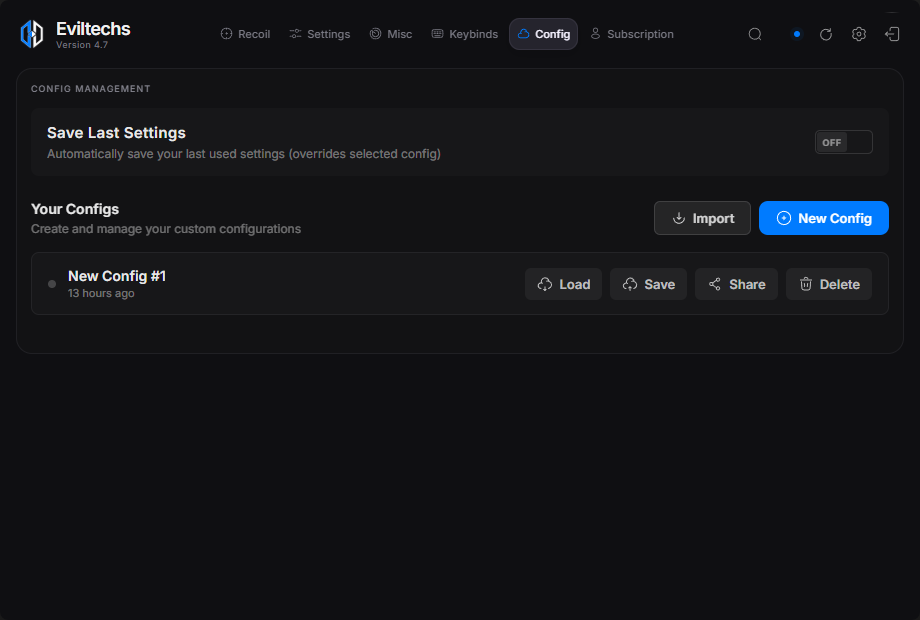
The Config view includes controls for creating, saving and loading configurations, along with reset, import and folder access options. Treat Save and Load as different actions: saving records the current profile state, while loading brings a stored configuration into use. Read any confirmation message before replacing existing settings.
Give each profile a useful name
Use names that tell you why a profile exists. For example, desk-mouse-baseline and desk-mouse-test-01 are easier to distinguish than several files called “new” or “final.” Add a date to a backup filename when you need to keep multiple versions.
Keep a known baseline separate from experiments. Before editing a profile you rely on, preserve a copy using the available file or configuration controls. Avoid overwriting your only working copy simply to try one change.
Record keybinds beside the profile
Write down each shortcut’s action and assigned key. Compare that list with your game and other active applications so the same key does not unintentionally trigger multiple actions. Record whether a setting is global or attached to a profile when the interface makes that distinction clear.
Also keep your mouse DPI and in-game sensitivity in a separate note. Our DPI and ADS guide explains why those settings should not be inferred from a configuration’s filename.
Check a restored configuration
- Select the intended saved profile and load it.
- Inspect the visible values and shortcuts rather than relying only on the filename.
- Compare them with your baseline notes.
- Save intentional changes under a clear name.
An imported file may have been created for a different software version. If it does not load as expected, keep the original file and note the error instead of repeatedly overwriting it. Include the software version, profile name and exact error when requesting help.
For changes that started after an update, continue with the update checklist.